September 12, 2026
Resin vs FDM 3D Printing: Are We Asking the Wrong Question?
Most of my audience does FDM printing, and I get it. It is accessible, it is not overly messy, and watching a machine turn a spool of plastic into something useful is still cool as fuck.
But resin printing deserves some love too. Even if you never plan to own a resin printer, understanding how it works makes the whole hobby more interesting. It also helps explain why putting a 0.2 mm nozzle on an FDM printer does not suddenly make it a resin printer.
I use both. I enjoy both. What I do not enjoy is every discussion turning into another argument about which one is better. Better for what? A tiny skeleton I want to paint and a bracket for my workshop are very different jobs.
Same family, very different process
FDM stands for fused deposition modeling. You will also see it called FFF, or fused filament fabrication. In a very simplified explanation, the printer takes a strand of thermoplastic, heats it, and pushes it through a nozzle. The toolhead follows paths generated by the slicer, laying down material until you have a finished object.
Resin printing starts with a liquid photopolymer. That bottle contains monomers, oligomers, photoinitiators, and other ingredients that control things like color and the finished material’s properties. Light at the appropriate wavelength activates the photoinitiators, starting reactions that build a solid polymer network. Many hobby resin printers use 405 nm light, but your resin and printer still need to be compatible.
That figurine on the shelf is the result of this process repeated thousands of times, layer by layer.
The screen is a mask
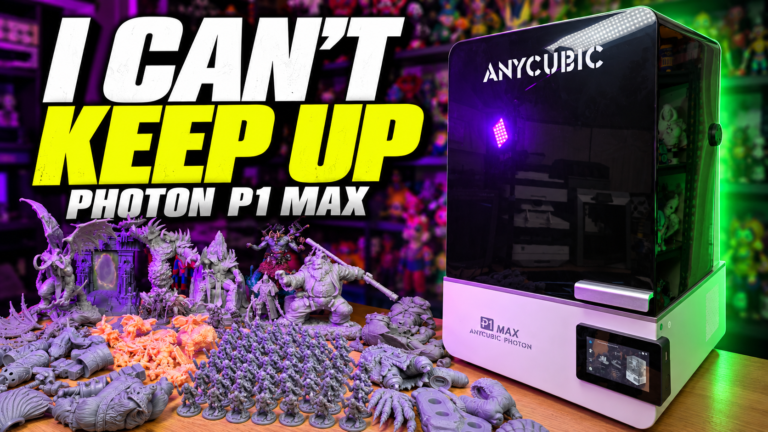
The printers I show in the video use MSLA, or masked stereolithography. The important word here is masked.
The LCD underneath the vat is not the UV light source. The light source sits below it. The screen controls where that light gets through, exposing the areas that need to become solid while blocking the areas that should stay liquid.
When you slice a model for one of these printers, you generate a stack of layer images. The printer displays those images one after another, with the build plate moving between layers so the print can separate from the release film and fresh resin can flow into position.
You are essentially building a 3D object from a giant stack of 2D images. That is a pretty cool thing to think about.
This whole-layer exposure applies to the MSLA printers in the video. Laser-based SLA traces an exposure path, so not every resin printer works in exactly the same way.
Why 16K does not tell you the whole story
Manufacturers love putting a big resolution number on the box. 12K. 16K. It sounds impressive, but the number alone does not tell you how small the pixels are.
Spread the same pixel count across a bigger screen and the pixels get bigger. If two screens have the same pixel layout and proportions, a 14-inch version has pixels about 40% wider and taller than a 10-inch version. The larger screen gives you more space to print, but it does not give you the same pixel density.
That is why I would rather look at the actual X/Y pixel dimensions, the build area, and real print results. The 10-inch 16K example in my video has a nominal pixel pitch of roughly 14 × 19 microns. That is a specification for that screen, not a number you can apply to every printer with “16K” in its name.
Pixel size is only part of the picture. Exposure, the resin, the optics, supports, orientation, and curing all affect the result. A small pixel does not guarantee that every feature that size will print correctly, or that every measurement will be accurate to that number.
A 0.2 mm nozzle is impressive. Layer height still is not everything.
I have printed some fantastic-looking things with FDM. A smaller nozzle absolutely helps with fine detail, and I am not arguing otherwise.
The problem starts when someone says that setting their layer height to 0.05 mm gives them the same resolution as resin. That only matches the nominal vertical layer increment. It tells you nothing about how the printer forms detail across the layer.
For reference, 1 mm is 1,000 microns. A 0.2 mm nozzle opening is 200 microns across. A 0.05 mm layer is 50 microns tall.
With a small nozzle and variable-width toolpaths, you may be able to lay down a line around 0.14 mm wide in suitable conditions. That is the narrow extrusion example I use in the video. Whether it prints reliably depends on the nozzle, material, slicer, and settings.
| Example | Across the layer | Layer height |
|---|---|---|
| FDM with a 0.2 mm nozzle | Example narrow extrusion: 0.14 mm, or 140 microns wide | 0.05 mm, or 50 microns |
| The 10-inch 16K MSLA example | Nominal pixel pitch: 0.014 × 0.019 mm, or 14 × 19 microns | 0.05 mm, or 50 microns |
The on-screen comparison uses 140 × 140 × 50 microns beside 14 × 19 × 50 microns to illustrate the difference in scale. One clarification matters: an FDM extrusion is a continuous bead following a path. It is not a square pixel, and 140 microns is not a universal X/Y positioning limit or the smallest possible feature in every direction. Likewise, a resin pixel is not a guaranteed, independently printable block of plastic. These numbers compare an example extrusion width with pixel pitch, not two equivalent units of finished detail.
Even the matching 0.05 mm layer heights do not create identical surfaces. FDM beads are physically squished into place, with rounded edges, flow variation, and motion affecting the result. Resin forms its layers through exposure and has its own sources of error. The same number in the slicer does not mean the same finish.
The printers I discuss can be set to layers as low as 0.01 mm, or 10 microns, but I normally use 0.05 mm. Going thinner adds layers and time. It does not automatically make every model meaningfully better.
Anti-aliasing can help soften visible pixel stepping on resin prints, but it does not turn the screen into a higher-resolution screen. Overdoing it can soften details too.
The practical difference shows up in the models: little faces, veins, cloth texture, wood grain, and tiny raised details. That is where resin earns its place in my setup.
The print-time difference gets interesting when you fill the plate
FDM has to trace the extrusion paths. Add more objects and you generally add more printing time.
MSLA exposes an entire layer at once. With the same layer count and layer-cycle settings, filling unused space on the plate can add a lot of parts without adding much printer time.
In the video, I slice a set of figurine parts at 5 hours and 57 minutes on my resin setup. The FDM example, with a 0.2 mm nozzle and 0.05 mm layers, comes out at 5 days, 16 hours, and 47 minutes.
Those are slicer estimates from the demonstration, not timed results from two finished prints. I also carried the resin supports into the FDM example to keep the geometry comparable. That is not an optimized FDM workflow, so do not read it as a universal speed ratio. A fair production comparison would prepare and support the model appropriately for each process.
The other example is a small skeleton. One takes an estimated 2 hours and 2 minutes in my resin slicer. I can fit 42 of them on the plate, and with those same settings the estimate stays at 2 hours and 2 minutes. The fine-layer FDM batch estimate is 4 days and 17 hours.
This is why batches of minis and multipart figurines make so much sense on resin. You do not have to print 42 identical skeletons either. Mix the models, fill the available space, and let the tallest supported part determine the layer count.
There are limits. A two-second exposure is not a two-second complete layer cycle. Separation, movement, resin refill, and delays also take time. Larger exposed areas can increase separation forces, and some printers or jobs need slower movement or longer waits. My full-plate block example demonstrates the slicer’s timing behavior; it is not a recommendation to print an enormous solid slab.
For a simple block or a quick workshop part, FDM can easily be the faster and more practical option. And resin’s printer-time estimate does not include washing, drying, removing supports, or post-curing.
What would I actually use each one for?
For me, resin is mostly about figurines and minis that I want to paint. But both processes go a lot further than the stuff on my shelves.
Where resin makes sense
- Miniatures and display models: small faces, fine textures, detailed bases, and multipart figurines. These are the jobs that make me happy to own resin printers.
- Dental models and appliances: labs use resin printing for diagnostic models and models used to form clear aligners. Validated systems and application-specific materials can also produce surgical guides, splints, dentures, and certain restorations. That does not mean ordinary hobby resin belongs in anyone’s mouth. The material, printer, cleaning, and curing workflow all have to meet the requirements of the intended application.
- Jewelry and casting patterns: castable formulations can produce detailed patterns that are burned out during investment casting. You print the pattern, then cast the metal.
- Detailed prototypes and masters: small product housings, presentation models, and masters for silicone molds can benefit from fine features and a smoother starting surface.
- Specialist functional parts: engineering formulations offer different combinations of toughness, flexibility, stiffness, or heat resistance. The actual material data matters much more than assuming that all resin behaves like a brittle miniature.
Where FDM makes sense
- Workshop parts: organizers, brackets, holders, adapters, and tool mounts. Often you need a useful shape more than microscopic surface detail.
- Large projects: props, terrain, signs, and big assemblies, where material cost and build volume matter.
- Prototypes and fit checks: make a part, see what does not fit, change the design, and print it again.
- Jigs and fixtures: positioning guides and assembly aids, using a material suited to the load, temperature, and environment.
- Flexible or weather-exposed parts: TPU can suit flexible components, while ASA can suit outdoor applications. These materials have different printer and ventilation requirements; a spool label alone does not make a part suitable for every job.
- Multicolor prints: decorative objects, labels, and models with color already built in. If you want a finished-looking piece without painting, that is a real advantage.
There is overlap. Resin can make functional parts, and FDM can make beautiful display pieces. Neither process gets exclusive ownership of an entire category.
Materials are more than “filament” and “resin”
Filament gives you a huge selection of colors and materials. PLA, PETG, TPU, ABS, ASA, nylon, and reinforced blends all have different strengths and compromises.
Resin also comes in different formulations: standard, tough, flexible, clear, castable, high-temperature, dental, and others. “ABS-like” describes an intended behavior or marketing category; it does not mean you are printing thermoplastic ABS.
I show a mix I use myself, combining a stiffer resin with a more flexible formulation to make the finished parts less brittle. Mixing can change exposure requirements and mechanical properties, so test the combination rather than assuming any two bottles will work together. For validated dental or medical applications, stick to the specified materials and workflow.
The part you cannot skip: handling and cleanup
Resin’s detail and batch speed come with extra work. You need space for the printer, washing, curing, tools, and contaminated waste. You also need a plan for ventilation and spills before you start.
Uncured resin can irritate skin and eyes and cause sensitization. Follow the product’s safety data sheet, use suitable chemical-resistant gloves and eye protection, and control exposure with appropriate ventilation. Odor alone is not a reliable measure of safety. Wash solvents such as IPA add their own handling and flammability concerns.
Keep liquid resin and contaminated wash water or solvent out of drains. “Water-washable” describes how you clean the print, not permission to pour the waste down the sink. Follow local disposal requirements.
I recently uploaded I Finally Finished Another Budget Resin Printing Enclosure! If you want to see how I am organizing my resin setup, that video is a useful companion to this one. It is an overview of my enclosure, not a complete build tutorial or a substitute for checking your own ventilation and material requirements.
FDM deserves sensible ventilation too, especially when moving beyond basic materials. It is usually the simpler workflow, but simpler does not mean emission-free.
For me, painting is part of the point
I love multicolor FDM printing. Watching that technology improve is exciting, and I use it plenty.
But with resin, I want a detailed model that I can sit down and paint. That is part of the hobby for me. I am not an especially skilled painter, and I do not get nearly as much time for it as I would like, but I am proud of some of the pieces I show in the video.
You can absolutely paint FDM prints too. The difference is the starting surface and the tiny details you have to work with. On a little face or textured piece of clothing, that makes a big difference.
So if you want to know which process is better, tell me what you want to make. For tiny, detailed figurines and batches of minis, I reach for resin. For plenty of practical builds and multicolor projects, I reach for FDM.
We can enjoy all of this without turning it into another printer war. If the video taught you something new, or you have a project that makes you choose one process over the other, leave a comment on YouTube. I would like to hear it.
Further reading
For more on the technical points and professional applications covered here:
- Formlabs: filament and resin printing processes, materials, and workflows
- Formlabs Dental: dental printing applications and validated workflows